Product Tutorials
& Walkthroughs
Smart Overlay That Maximizes Adoption and Security
Unlike traditional platforms that require users to switch between multiple tools and learn new interfaces, our browser extension is seamlessly built directly into the existing workflow and familiar system (such as the ATS or CRM) that recruiting teams already use every day. This native integration maximizes adoption and daily usage while eliminating context switching. At the same time, the extension functions exclusively as a non-invasive overlay. By design, our default integration is read-only and does not write back to the underlying system, modify any existing records, or alter customer data in any way. No changes to the host application or its database occur unless the customer explicitly requests, and we mutually agree upon a custom integration for that specific purpose. The extension is only active on the domains specified by the customer, ensuring it operates transparently within their controlled environment without accessing, storing, or transmitting any data beyond what is necessary for the overlay functionality. This approach eliminates any risk of unintended data modification, interference with system integrity, or privacy concerns—giving compliance teams with full confidence in the security and safety of the solution.
Technical Resource Library
Explore our comprehensive library of video tutorials designed to help you master the Fastr.ai platform. From setting up your first search to deep-diving into our contextual matching engine, these step-by-step walkthroughs ensure your team leverages the full power of our bias-free talent intelligence.
Use Smart Match for Jobs
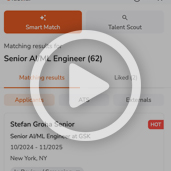
Use Smart Matching to Prioritize Job Applicants
This tutorial explains how to use FasterAI’s Smart Matching feature to streamline your applicant review process. You will learn how to access and interpret applicant rankings to focus on the best candidates.
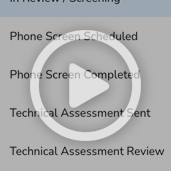
Review and Advance Candidates in your ATS
This tutorial demonstrates how to review and manage job applicants in your ATS. You will learn how to navigate candidate profiles and efficiently advance them through the recruiting pipeline.
Shortlist Applicants
This tutorial guides you through shortlisting applicants efficiently in your ATS. You will learn how to select preferred applicants and manage your candidate list effectively.
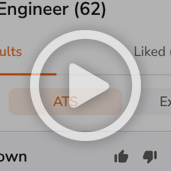
ATS Rediscovery and External Candidate Matching
From the moment a job is created, Fastr.ai automatically cross matches every applicant and candidate profile within your ATS to your new opening.
Reverse Smart match
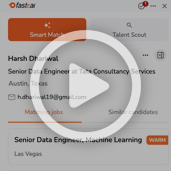
Find Matching Jobs and Similar Candidates
This tutorial shows you how to use Fastr.ai within your ATS to find and filter job matches for candidate profiles. You will learn how to navigate profiles, apply filters, and view similar candidates to streamline your recruitment process.
Unlock Deep Insights with Rich Candidate Profiles
Advanced Filtering Across Fastr.ai
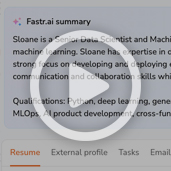
Review Candidate Profiles
This tutorial shows you how to efficiently navigate and review candidate profiles. You will learn to access key candidate information and manage related tasks effectively.
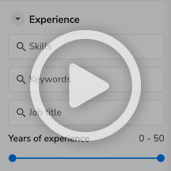
Tab-Specific Filters
This tutorial provides an overview of the Fastr.ai filtering system across your Applicants, ATS, and External pools. By combining these granular filters with our AI matching results, you can truly hone in on the exact candidate profile you need.
Automated Talent Sourcing: Discover and Nurture Leads Instantly
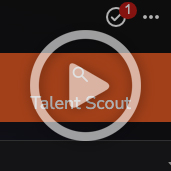
Talent Scout and Search Projects
This tutorial introduces Talent Scout by Fastr.ai, a powerful pipelining engine designed to transform how you discover and nurture talent. By leveraging natural language processing, it removes the technical barriers of traditional Boolean strings, allowing you to build high-quality talent pools instantly.
Boost Recruiting Efficiency with Integrated Workflow Tools
Send Email
This tutorial guides you through sending personalized emails to candidates using Fastr.ai integrated with your ATS. You will learn how to connect your Outlook account, create signatures, compose emails, and send them effectively.
Candidate Notes
This tutorial shows you how to create and manage notes within the Candidate Profile panel in your ATS. You will learn how to add, style, and set visibility options for your notes to enhance candidate tracking.
Tasks
Efficiency is the backbone of a successful hiring process. This tutorial provides a step-by-step walkthrough on how to create, organize, and track tasks in Fastr.ai.